WPFresher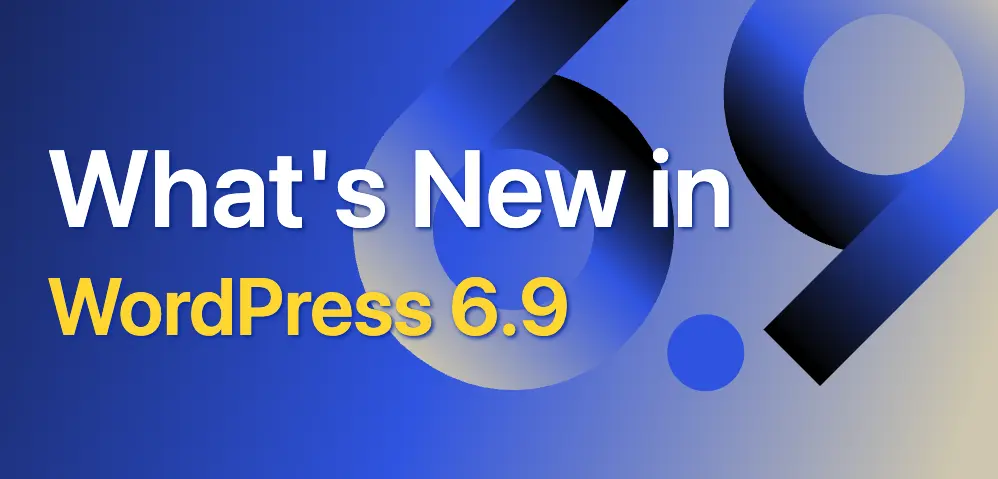
With the release of WordPress 6.9, the world’s most popular CMS takes another major step toward a smoother, more collaborative, and performance-oriented editing experience. This version isn’t just about small bug fixes or incremental tweaks; it introduces powerful new features designed to improve how teams work together, how sites are built visually, and how quickly those sites load. Whether you’re a content creator, designer, developer, or site owner, 6.9 offers upgrades that will reshape your WordPress workflow for the better. In this article, we’ll go through all the major changes in WordPress 6.9, what they mean, and how you can leverage them for your website or clients.
Welcome to WordPress 6.9
WordPress 6.9 is the second major release of 2025, marking a significant milestone in the platform’s evolution. Rather than focusing on a single headline feature, this release bundles together a broad set of enhancements from editing and collaboration tools to performance boosts and developer-centric APIs. The goal is clear: make WordPress more intuitive, collaborative, and performant. For anyone building or managing a WordPress site, from solo bloggers to agency teams, 6.9 delivers improvements across the board: editing workflows, visual design flexibility, site speed, and long-term scalability.
In many ways, Version 6.9 signals a new chapter: WordPress is not just a publishing tool; it’s becoming a platform for collaboration, speed, and modern web-building.
Notes: Collaboration Where It Happens
One of the most talked-about features in WordPress 6.9 is block-level commenting, now available via a tool called Notes.
What are Notes?
- Notes allow you to attach comments directly to individual blocks (paragraphs, images, headings, etc.) inside the editor.
- Instead of managing external docs, spreadsheets, or feedback tools, your review and feedback stay inside WordPress. Everyone working on the site can see, reply to, resolve, or reopen notes — making collaboration more streamlined.
Why It Matters
- For content teams, editors, agencies, and clients: It reduces friction. You no longer have to copy and paste content into external tools for review.
- For design and layout review: when working on complex layouts or block-based pages, Notes help ensure feedback stays context-aware (on the exact block).
- For workflows: communication becomes asynchronous, contextual, and centralized, which improves productivity and reduces miscommunication.
In short, Notes brings collaboration into the canvas itself.
Visual Drag and Drop Improvements
WordPress 6.9 makes building layouts more intuitive thanks to improved drag-and-drop functionality. As many users reported, arranging blocks now feels smoother, more visual, and more precise.
- Blocks now have clearer drag handles, meaning when you grab a block to move, the UI shows exactly what you’re moving.
- Live movement previews give you instant feedback: you can see where the block will land before releasing, reducing layout mistakes and saving time.
- For complex layouts, multi-column, mixed media, and nested blocks, this improvement translates into fewer clicks, faster iteration, and a more intuitive design experience.
For designers and content creators who care about layout and flow, this update makes block-based page building feel far more like using a visual page builder, but without needing extra plugins.
Command Palette, Everywhere
Another big productivity boost in WordPress 6.9: the expanded Command Palette is now accessible throughout the entire dashboard, not just the Site Editor.
What is the Command Palette?
Originally introduced as part of the block-editor experience, the Command Palette lets you quickly access functionality by typing commands (like “Add post,” “Insert block,” “Open settings,” etc.) instead of hunting through menus. In 6.9, this convenience is extended across almost every part of WordPress: editor, dashboard, plugin screens, site settings, and more.
Benefits for Users & Developers
- Speeds up workflows: Need to create a post, open a page, jump to plugin settings? Just hit Ctrl + K (Windows) or Cmd + K (Mac) and type, no more mouse-hunting.
- Consistent UX across the dashboard: Whether you’re editing a post, switching themes, or managing plugins, the same keyboard-driven interface helps you move fast.
- Developer-friendly: Because of new back-end APIs (see below), future plugins and tools can integrate with the Command Palette, potentially adding custom commands or workflows.
For power users, developers, and anyone managing multiple sites, the expanded Command Palette makes WordPress feel more like a modern app than a traditional CMS.
Fit Text to Container (New Typography Feature)
One of the subtler but very welcome design updates in 6.9 is the addition of a “Fit Text” (sometimes referred to as “Stretchy Text”) option for Paragraph and Heading blocks.
What It Does
- Text automatically scales to fill the width of its container. This means you can create banners, hero headings, or callouts that adjust responsively without manually tweaking font sizes.
- The feature works out of the box, no need for custom CSS, no extra plugins.
Why It Matters
- Creates cleaner, more dynamic typography: particularly useful for hero sections, large headings, banners, or design-heavy pages.
- Improves responsive design: text remains visually balanced across devices and screen sizes without manual media query work.
- Speeds up design workflow: designers and content creators can focus on layout and content, not on fiddling with font sizes.
In a world where good typography and responsive design matter greatly, this small addition can make a big difference.
Performance Updates in WordPress 6.9
Behind the scenes, WordPress 6.9 brings serious under-the-hood performance optimisations aimed at faster load times, better rendering metrics, and a smoother user experience both for visitors and editors.
Here’s a breakdown of the most important improvements:
- Improved LCP (Largest Contentful Paint): Through better loading of conditional and inlined stylesheets, optimized CSS handling, and output buffering, 6.9 reduces render-blocking resources — which improves LCP and overall perceived page speed.
- Smarter script loading: With
fetchprioritysupport for scripts and refined script enqueueing, crucial scripts load sooner, and non-essential resources are deprioritized, leading to faster initial paint and better stability. - Editor performance enhancements: For example, fixes to layout shifts caused by the Video block, faster loading of the terms selector, and an overall more fluid editing experience.
- Improved database queries & caching: Internally, 6.9 optimizes how queries are handled, how caching works, and improves the overall backend responsiveness, which benefits heavy, content-rich websites especially.
Together, these changes help site owners and developers deliver faster, smoother experiences for their visitors — which is especially crucial as Google and other search engines increasingly reward good performance metrics.
Accessibility Improvements
Accessibility remains a key priority in WordPress 6.9. While not every detail is visible on the surface, numerous improvements have been made under the hood to improve usability for all, including those who rely on assistive technologies.
Some of the improvements include:
- Better keyboard navigation and focus management throughout the editor and dashboard.
- Cleaner HTML and CSS output, making content more semantic and helping screen readers parse and announce it properly.
- More consistent handling of UI elements and interactions, reducing unexpected layout shifts or confusing behaviour.
Improved accessibility makes your site more inclusive, lowering barriers for users with visual or motor impairments, and it also tends to align with better SEO and broader reach.
Developer-Focused Enhancements & Future-Proofing
While WordPress 6.9 offers many user-facing improvements, it also includes several important developer-centric upgrades, setting the stage for future automation, plugin development, and even AI integrations.
Abilities API
At the core of 6.9 is the new Abilities API, a unified, machine-readable permissions and capability registry that themes, plugins, and WordPress core can use to expose or query capabilities in a standardised way.
This means:
- Plugins and themes can declare what they “can do” (abilities) in a structured, discoverable format.
- In the future, automation tools, external systems, or AI-driven workflows can use these abilities to perform tasks programmatically or integrate more deeply with WordPress.
Interactivity, Block Bindings & Template Handling
Other under-the-hood enhancements in 6.9 include refinements to the Interactivity API, updates to the Block Bindings API (making it easier to bind block attributes dynamically), and more flexible template handling for block-based themes and layouts.
These improvements don’t always show up immediately, but for plugin authors, theme developers, and advanced WordPress users, they open up new possibilities: dynamic content, AI-driven features, more flexible templates, and future-proof sites.
In short: 6.9 isn’t just a nicer editor, it’s a stronger foundation for the future of WordPress.
Learn more about WordPress 6.9
Learn WordPress is a free resource for new and experienced WordPress users. Learn is stocked with how-to videos on using various WordPress features, interactive workshops for exploring topics in depth, and lesson plans for diving deep into specific areas of WordPress.
WordPress 6.9 Release Notes
Read the WordPress 6.9 Release Notes for information on installation, enhancements, fixed issues, release contributors, learning resources, and the list of file changes.
WordPress 6.9 Field Guide
Explore the WordPress 6.9 Field Guide. Learn about the changes in this release with detailed developer notes to help you build with WordPress.
List of Fully Compatible Plugins with WordPress 6.9
🚀 AI Content Writer – Create High-Quality Content in Seconds
AI Content Writer is a powerful WordPress plugin that helps you generate SEO-optimized articles instantly using AI. Whether you’re a blogger, marketer, or business owner, this plugin allows you to create, customize, and publish content directly from your WordPress dashboard—saving time and boosting productivity.
With features like automatic content generation, bulk article creation, auto-posting, and customizable writing styles, you can maintain a consistent publishing schedule without the usual effort. It’s like having a full content team working for you 24/7.
🔥 Key Benefits:
- Generate full-length articles in seconds
- SEO-friendly and structured content
- Bulk content creation & auto publishing
- Custom tone, style, and prompts
- Fully integrated with the WordPress editor
Ready to Grow Your Content Faster?
Start creating smarter, not harder.
Try Free Version: AI Content Writer
Upgrade License: AI Content Writer Pro
Key Manager – Effortlessly sell license keys, game keys, pin codes, gift cards, and more with WooCommerce
If you rely on license management or sell digital products that require license keys, you’ll be glad to know that WC Key Manager — a popular and powerful WooCommerce license key management plugin — has been fully tested and confirmed to work seamlessly with WordPress 6.9. This ensures store owners can upgrade to the latest version of WordPress without worrying about compatibility issues.
WC Key Manager makes it easier to generate, assign, validate, and manage license keys directly within WooCommerce, making it an essential tool for developers and digital product sellers. The plugin remains stable, secure, and fully functional with the new performance and editor improvements introduced in WordPress 6.9.
If you want to upgrade your store with advanced licensing features, you can explore the premium version of the plugin here:
Try Free Version: WC Key Manager
Upgrade License: wckeymanager.com
Conclusion
WordPress 6.9 isn’t just another routine update it’s a substantial evolution in how WordPress approaches editing, collaboration, design, performance, accessibility, and developer capabilities. From the new block-level Notes for seamless feedback, to improved drag-and-drop and typography tools, to significant optimisations under the hood, this release touches nearly every aspect of site creation and management.
For content creators and teams, 6.9 means smoother workflows, fewer external tools, and better collaboration. For site owners, it means faster, more performant websites that load reliably. For developers and agencies, it lays the groundwork for smarter, more scalable, and possibly AI-powered features in the future.
If your site isn’t running 6.9 yet, now is a great time to plan the upgrade. And if you’re building new sites, consider starting with 6.9 to take advantage of all these improvements from day one.
Discover more from WPFresher
Subscribe to get the latest posts sent to your email.