WPFresher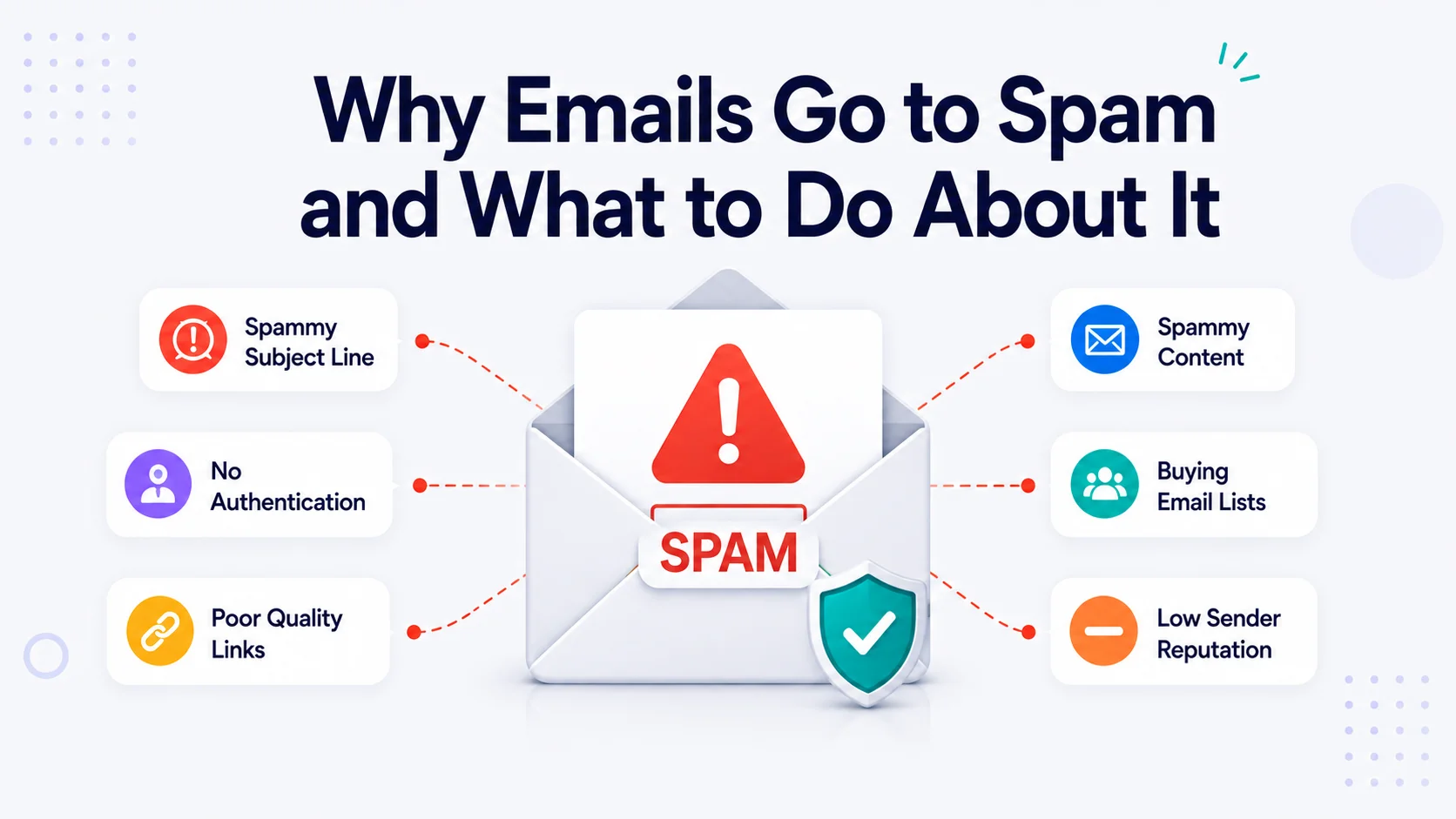
You wrote the email, checked the links, hit send, and then nothing — no opens, no clicks, no replies. A few days later, a customer tells you they never got the password reset, or a subscriber mentions they found your newsletter buried in a folder they never open.
That folder is doing a lot of damage quietly. A message in spam isn’t just unread; it actively teaches the filter that your mail belongs there. Every send after that starts from a worse position.
The frustrating part is that spam placement rarely has a single obvious cause. Nobody sends you a rejection notice explaining what went wrong. Your email simply gets scored, sorted, and shelved. This guide breaks down how that scoring actually works, the specific reasons legitimate senders get caught by it, and what to change — in order of impact.
How spam filters actually decide
It helps to stop imagining a list of banned words and start imagining a credit check.
Modern filtering at Gmail, Outlook, Yahoo, and corporate gateways works on accumulated signals. Each incoming message gets evaluated across several dimensions, and the outcome is a judgment call rather than a pass/fail test. The main dimensions are:
Identity. Can the receiving server cryptographically prove this message came from who it claims to come from? This is authentication — SPF, DKIM, and DMARC.
Reputation. What’s the track record of the sending IP address and, more importantly these days, the sending domain? Has mail from this source been marked as spam before? Has it hit invalid addresses or spam traps?
Engagement. Do recipients open, reply, click, and move messages out of spam? Or do they delete without reading, ignore, and complain?
Content and structure. Does the message look like the millions of scam emails the filter processes daily — in its wording, formatting, link profile, and image-to-text balance?
Infrastructure hygiene. Is the sending server configured properly? Reverse DNS, TLS encryption, a valid return path, working unsubscribe headers.
A weakness in one area can often be absorbed. Weaknesses in three or four compound fast. That’s why fixing deliverability is usually a sequence of small corrections rather than one dramatic fix.
Worth knowing: the rules got stricter. In February 2024, Gmail and Yahoo introduced enforced requirements for bulk senders — full authentication, one-click unsubscribe, and a spam complaint rate kept below 0.3%. Microsoft followed with similar requirements for high-volume senders to Outlook and Hotmail addresses in May 2025. Practices that were “recommended” for years are now conditions of delivery.
The real reasons emails go to spam
1. Missing or broken email authentication
This is the single most common cause, and it’s the one most senders don’t realize applies to them.
Three records do the work:
- SPF (Sender Policy Framework) is a DNS record listing which servers are permitted to send mail using your domain. If you send through a marketing platform, a CRM, a helpdesk, and your website, all four need to be authorized in one SPF record.
- DKIM (DomainKeys Identified Mail) attaches a cryptographic signature to each message. The receiving server checks it against a public key in your DNS. If the signature validates, the message wasn’t tampered with in transit and genuinely came from an authorized sender.
- DMARC (Domain-based Message Authentication, Reporting and Conformance) tells receivers what to do when SPF or DKIM fails, and sends you reports on who is sending mail as your domain.
Common failure modes: SPF exists but doesn’t include a newly added sending service. SPF has more than the permitted 10 DNS lookups and silently breaks. DKIM was set up for the marketing platform but not for transactional mail from the website. DMARC doesn’t exist at all, so there’s no policy alignment and no visibility.
Fix it: Publish all three. Start DMARC at p=none so you collect reports without affecting delivery, read those reports for a few weeks to confirm every legitimate source is aligned, then tighten to p=quarantine and eventually p=reject. Consolidate SPF into a single record with every sending service included, and keep it under the lookup limit.
2. Sending from a free email address or a mismatched domain
If your From address is yourbusiness@gmail.com and you’re sending through a marketing platform, DMARC alignment fails structurally — Gmail’s own policy doesn’t authorize a third-party platform to send as a Gmail address. Filters treat this pattern as classic spoofing, because that’s exactly what spammers do.
Fix it: Always send from a domain you control and can add DNS records to. hello@yourbusiness.com, not yourbusiness@gmail.com. Use a real, monitored reply-to address; noreply@ addresses reduce replies, and replies are a strong positive engagement signal.
3. Poor list hygiene
Nothing degrades reputation faster than sending to addresses that shouldn’t receive mail.
- Purchased or scraped lists are the fastest route to a blocklist. They contain outdated addresses, people who never opted in, and spam traps.
- Spam traps are addresses operated by blocklist providers. Pristine traps have never belonged to a real person — hitting one proves you didn’t get consent. Recycled traps are old abandoned addresses reactivated as traps; hitting them proves you don’t clean your list.
- Hard bounces to non-existent addresses signal that you’re not maintaining your data.
- Typos at signup (
gmial.com,yaho.com) accumulate quietly into a bounce problem.
Fix it: Only mail people who explicitly opted in. Use double opt-in for new subscribers — it costs you some list growth and buys you far better engagement rates. Run a verification service over any list older than six months. Remove hard bounces immediately and automatically. Add a sunset policy: if someone hasn’t opened or clicked in 6–12 months, stop mailing them or move them to a quarterly-only segment.
4. Low engagement
Mailbox providers watch how recipients behave. Consistent opens, clicks, replies, and “move to inbox” actions build trust. Consistent deletes-without-open, “mark as spam,” and ignores erode it.
A list of 10,000 addresses where 800 people engage will often perform worse than a list of 2,000 where 700 engage — because the inactive majority drags your aggregate signals down.
Fix it: Segment by engagement and treat the groups differently. Mail your active subscribers most often. Run a re-engagement campaign for the dormant ones — two or three emails asking whether they still want to hear from you — then remove the non-responders. Reduce frequency if complaints rise. And make the content worth opening; deliverability follows relevance more than it follows tricks.
5. Spam complaints above the threshold
When someone hits “Report spam,” that’s the loudest possible negative signal. Gmail’s stated tolerance is 0.3% — three complaints per thousand delivered messages — and staying below 0.1% is the practical target.
Complaints spike when people don’t recognize you, when they can’t find the unsubscribe link, when frequency jumps suddenly, or when the content doesn’t match what they signed up for.
Fix it: Make unsubscribing easy and obvious — a visible link in the footer plus the list-unsubscribe header that renders as a one-click option in Gmail and Outlook. Counterintuitively, an easy unsubscribe protects you: an unsubscribe is neutral, a complaint is damaging. Set clear expectations at signup about what you’ll send and how often. Use a recognizable From name.
6. Content that pattern-matches to spam
Content matters less than authentication and reputation, but it still contributes — especially when your reputation is neutral or new.
Signals that raise scores:
- Subject lines with excessive capitals, multiple exclamation marks, or heavy urgency language (“ACT NOW!!!”, “FINAL WARNING”)
- Money and pressure vocabulary stacked together — free, guaranteed, risk-free, limited time, cash bonus
- One giant image with almost no text, which is the classic trick for hiding text from filters
- Broken HTML, inline styles copied from a word processor, or messy nested tables
- Links to shortened URLs, or links whose visible text doesn’t match the destination
- Linking to domains with poor reputations, including some free hosting and file-sharing services
- Unexpected attachments, particularly executables, archives, or documents with macros
- Text-to-link ratio skewed heavily toward links
Fix it: Write the email the way you’d write to a person. Keep a healthy ratio of real text to images, and give every image alt text. Use your own domain for links rather than shorteners. Send a plain-text alternative alongside the HTML version. Test the rendered message before sending.
7. Sending through the wrong infrastructure
Many websites still send mail through the server’s built-in PHP mail function or an equivalent default. These messages typically go out unauthenticated, from a shared IP whose reputation is determined by every other site on that server, often without TLS, and frequently with no matching reverse DNS record. Password resets, order confirmations, and form notifications quietly disappear.
Shared hosting IPs are also frequently blocklisted through no fault of yours — one compromised neighbor account can be enough.
Fix it: Route all mail through an authenticated SMTP service or a dedicated email service provider. This applies to transactional mail from your website just as much as to newsletters. It gives you authentication, delivery logs, bounce handling, and an IP pool that someone is actively maintaining.
8. Missing or misconfigured technical basics
Small items that receivers check and many senders never verify:
- Reverse DNS (PTR) — the sending IP should resolve back to a hostname that matches the sending domain.
- TLS — encrypted transport is expected, not optional.
- List-Unsubscribe and List-Unsubscribe-Post headers — required for one-click unsubscribe at bulk volumes.
- Valid Return-Path — bounces need somewhere real to go so they can be processed.
- Aligned domains — the From domain, DKIM signing domain, and Return-Path domain should relate to each other for DMARC to pass.
Fix it: A reputable sending platform handles most of this, but verify rather than assume. Send a test to a seed address and read the raw headers.
9. Sudden volume spikes and cold IPs
A domain or IP that has never sent mail has no reputation. Going from zero to fifty thousand messages overnight looks exactly like a compromised account or a spam run.
Fix it: Warm up gradually. Start with a few hundred messages a day to your most engaged subscribers, roughly double the volume every few days, and watch bounce and complaint rates as you scale. If you’re migrating platforms, warm the new setup before moving your full list. Keep sending volume and cadence reasonably consistent afterward.
10. Being listed on a blocklist
Blocklists like Spamhaus, SURBL, and SpamCop are consulted by receiving servers in real time. A listing can come from a spike in complaints, hitting spam traps, a compromised account sending on your behalf, or a bad neighbor on a shared IP.
Fix it: Check your sending IP and domain with a multi-blocklist lookup tool. If listed, identify and fix the underlying cause first — delisting without a fix leads straight back to a relisting — then submit a removal request through the specific list’s process.
11. Mixing transactional and marketing mail
Password resets and receipts are mail people need. Promotions are mail people chose. When both flow through the same domain and reputation pool, a poorly performing campaign can suppress delivery of critical account emails.
Fix it: Separate the streams onto different subdomains — for example mail.yourdomain.com for marketing and notify.yourdomain.com for transactional — each authenticated independently. Reputation problems on one side stay contained.
A practical recovery plan
If your mail is landing in spam right now, work through this in order.
Step one: diagnose before changing anything. Send a test message to a seed inbox and read the full headers — they’ll show whether SPF, DKIM, and DMARC passed. Run the message through a spam-scoring tool to see what a filter flags. Check your IP and domain against blocklists. Verify whether the problem affects all recipients or only one provider, since a Gmail-only problem points somewhere different than a universal one.
Step two: fix authentication. SPF, DKIM, and DMARC on every sending source. This is the highest-leverage change and the prerequisite for everything else.
Step three: register with the postmaster tools. Google Postmaster Tools and Microsoft SNDS give you visibility into your domain reputation, spam rate, and authentication pass rate from the receiver’s perspective. Without these you’re guessing.
Step four: clean the list. Remove hard bounces, verify old addresses, delete role accounts you never got consent from, and suppress anyone who hasn’t engaged in a year.
Step five: audit content and structure. Real text alongside images, plain-text alternative included, links on your own domain, a visible unsubscribe link, a recognizable From name, and a subject line that describes rather than shouts.
Step six: rebuild engagement slowly. Restart with your most engaged segment at reduced volume. Positive signals from people who genuinely want your mail are what rebuild reputation. Expand outward as metrics hold.
Step seven: monitor continuously. Track delivery rate, bounce rate, complaint rate, and open rate per campaign and per mailbox provider. Deliverability degrades gradually — a rising complaint rate two months before you notice inbox placement dropping is the warning you want to catch.
Frequently asked questions
With authentication corrected and a clean list, improvement often shows within two to four weeks. Recovering from a serious reputation problem or a blocklist entry can take one to three months of consistent, low-complaint sending.
No single word does. Filters weigh vocabulary in combination with everything else. “Free” in a message from a well-authenticated sender with strong engagement is fine; the same word in an unauthenticated message with a link-heavy body and a shouting subject line adds to an already high score.
It protects it. An unsubscribe removes one address. A spam complaint damages your ability to reach everyone else. Make it easy to leave.
Each provider weights signals differently and maintains its own reputation data. Gmail leans heavily on engagement; Microsoft leans more on IP reputation and complaint volume. Provider-specific issues usually point to a specific reputation or configuration problem with that provider.
Only at volume. A dedicated IP needs consistent traffic — generally tens of thousands of messages per month — to maintain reputation. Below that, a well-managed shared pool from a reputable provider almost always performs better.
The short version
Emails go to spam because the receiving server doesn’t have enough evidence that your mail is wanted. Authentication supplies proof of identity. Clean lists and low complaint rates supply proof of consent. Engagement supplies proof of value. Sound infrastructure removes the small technical excuses a filter can use against you.
Fix those four things in that order and inbox placement generally follows. Deliverability isn’t a setting you switch on — it’s a reputation you maintain, one send at a time.
For more WordPress help, tips, and how-tos, browse the WPFresher blog, and tell me in the comments what you’d turn into a shortcode first.
Discover more from WPFresher
Subscribe to get the latest posts sent to your email.